A full inspection report in under 5 minutes
The video shows how ImmoHabits lets you generate a full property condition report in under five minutes. You just create the rooms and upload the photos, and the AI does the rest.


Creating a property condition report used to be a time-consuming job. With ImmoHabits' digital workflow you take photos and automatically receive a professional digital report in under 2 minutes.
ImmoHabits works both via the mobile app and directly in your browser. Everything syncs automatically, so you switch seamlessly between on-site and the office.

Take photos on the spot with your phone or tablet, or upload photos you already took. Ideal during the walk-through. No internet? You simply keep working offline and everything syncs once you're back online.

Upload your photos from your computer and finish your report on a large screen. No installation needed: you just log in and pick up where you left off.
From account to signed report in a few steps. Starting is free, no payment details needed.
Register for free, without payment details. Companies with a valid VAT number start with 12 free tokens; private landlords can generate a free demo report.
Create your property with address, parties and file details, and add the rooms you want to describe.
Photograph every room with the app or upload existing photos in your browser, and record a voice note per photo where needed.
Generate your condition report with tokens, read it through and make any adjustments in the editor.
Have tenant and landlord read and approve the report online, then get it legally signed digitally.
Download the finished report in Word or PDF, in your own branding, along with a zip archive of all photos.
ImmoHabits doesn’t simply describe photo after photo. A team of specialized AI agents analyzes all your photos together, learns the full context of the property and then writes one structured report. You can read the difference immediately.
The agents look at all photos of a room in context: which wall is which, which material returns, which damage belongs to which element. The result is a description per element, not a loose list per photo.
Each agent is an expert in its own domain: kitchens, bathrooms, meter readings or damage. You get professional descriptions, as if written on site by a specialist.
The result is one coherent report per room and per element, with every finding anchored in a numbered photo. Something that appears in three photos is described correctly once.
All agents work in parallel and a central quality agent evaluates their work for detail and consistency. Even a large property with thousands of photos is fully analyzed and described in under 2 minutes.
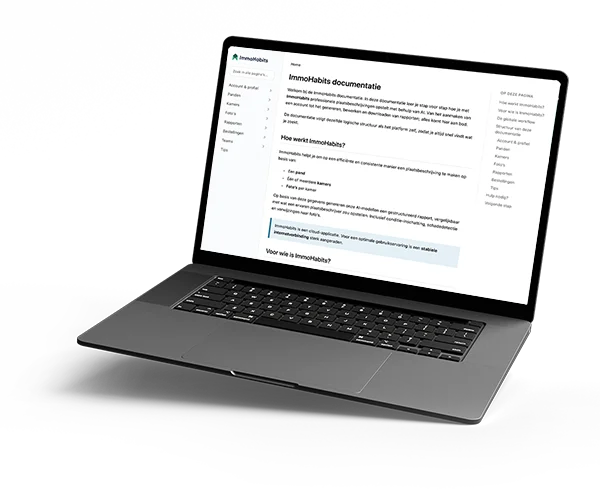
In our manual you'll find step by step how to create an account, manage properties and rooms, add photos, generate reports and work with Teams.
How many photos do I need to take?
There is no fixed number: you can upload unlimited photos per room. Take a few overview photos per room plus detail photos of specifics like damage or meter readings. The total number of photos determines the price of your report.
What do I still have to do myself?
Take the photos and review the report. The AI writes and structures everything, but you remain the author: you review, adjust where needed and finalize. After that you arrange the review and signing directly from the platform.
Can I use existing photos?
Yes. You don’t have to photograph with the app: you can upload existing photos per room in your browser. Do make sure they are recent and sharp, as they form the evidence behind every finding.
What if the AI describes something wrong or misses it?
Everything stays editable in the editor, field by field. Whatever you dictate on a photo during your walkthrough is taken over as correct. Forgot a photo or room? Add it and regenerate the report; the first regeneration is free.
Does it work on my phone or without coverage?
Yes. ImmoHabits works in your browser and as an app on iOS and Android. In the app you simply keep working without coverage; as soon as you are back online, everything syncs automatically.